BO
5.0Reviewed May 4, 2023
Buen curso, saquen una versión extendida con un top 10 de las plantillas mas usadas en Recursos Humanos

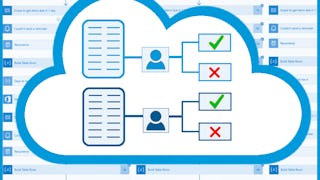
Every company must create various documents or reports and show them to responsible colleagues, mostly their supervisors, so they can approve or reject the document. Employees spend a lot of time chasing those responsible colleagues all over the company or sending them multiple emails to remind them about the documents waiting to be checked. For example, a junior business analyst creates a business offer document and of course, it needs to be reviewed and approved by a senior business analyst, a CEO, or another superior. You can imagine how exhausting and time consuming it can be for the employee to find the corresponding colleague and get the wanted feedback on the document, or to send them repetitive emails each morning reminding them about it. Thankfully, we can leverage Power Automate and SharePoint functionalities and automate the whole process after the document is created. An employee will just create the document, upload it to the SharePoint document library and Power Automate will handle the rest automatically. This might be a huge timesaver for the employee since they don’t need to chase colleagues or send them emails anymore. This Guided Project "Automate Doc Review Process with SharePoint & Power Automate" is for any business professional who is looking to automate any kind of document or report approval. In this Guided Project, you will learn how to create a SharePoint site, document library and list, and how to use Power Automate to automate the process of sending requests for document approval to the corresponding employees. What’s great about SharePoint and Power Automate is that anyone can learn to use them regardless of their educational background. Since this project uses Power Automate (part of the Microsoft Power Platform) and SharePoint, you will need access to a Microsoft account and a Microsoft 365 Developer Program subscription. In the video at the beginning of the project you will be given instructions on how to sign up for both. If you are ready to make your and your colleagues’ lives easier by starting to automate manual, time-consuming processes which are hard to track, then this project is for you! Let's get started!
BO
Buen curso, saquen una versión extendida con un top 10 de las plantillas mas usadas en Recursos Humanos
Showing: 18 of 18
I went through the steps to set up a Microsoft 365 Developer Program account and after following the steps, this is the message I get. It is next to impossible to get an answer from anyone at Microsoft and frustrating to try and reach anyone who can help me at Coursera. Not very impressed with this first course I have taken at all. I literally can't do the course without the Sandbox. Welcome, Robert Thank you for joining. You don't current qualify for a Microsoft 365 Developer Program sandbox subscription. For details about Developer Program member benefits, see the Microsoft 365 Developer Program FAQ.
I started the course but could not go beyond the Welcome section as I was given permission to create a Microsoft 365 Ddeveloper Program??
outdated
Pathetci
Buen curso, saquen una versión extendida con un top 10 de las plantillas mas usadas en Recursos Humanos
The guide was Extremely helpful
Good,
+100
GOOD
Good course. It would be helpful if the instructor went back and showed the SharePoint site after testing the flows so we could see any changes in the status of the document review, or the JSON formatting that was specific to highlighting approved and rejected review results.
This course have many rooms for improvement. First, the MS 365 developer center has a chance that you will not be eligible for access. It was not mentioned in the training that there was a chance that you might no able to use it. Second, trainer is good but the way he speaks is not clear and better to put captions on the videos. Overall it is kind a good course, still managed to pass but hope they may improve it.
I would have rated it higher if I was able to complete my guided project. The Cloud workspace shut down on me. :(
en su momento fue funcional pero actualmente con la nueva versión ya no es tan aplicable a la necesidad actual
It was ok. I don't have Power Automate on my laptop so was at a loss trying to understand what was going on.
ACCESS DENIED BY SERVER.
Mic is terrible
Terrible. Video, language, teaching style and everything in between completely terrible. I tried to finish, but I just couldn't not. It is very stressing to complete this lesson, which supposed to easy to follow.
Instructor Voice in not so much clear